We are pleased to announce the immediate availability of Imunify360 Security plugin for WordPress direct in your WordPress dashboard.
What is Imunify360?
Imunify360 is a commercial security solution for Linux web servers based on machine learning technology which utilizes a multi-layer approach to provide total protection against any types of malicious attacks or abnormal behavior including distributed brute force attacks.
Imunify360 provides:
- Advanced firewall with cloud heuristics and artificial intelligence for detecting new threats and protecting all servers that run the software.
- Intrusion Detection and Protection System -
- Malware Scanning - automatic scanning file systems for malware injection and cleaning up infected files.
- Proactive Defense - Proactive Defense protects websites running PHP, against zero-day attacks by blocking potentially malicious executions automatically and with zero latency.
And What is Imunify360 Security Plugin for WordPress?
Imunify Security plugin for WordPress shows the security status of your website directly in the WordPress dashboard. It reports what the Imunify360 security software on your hosting server found and cleaned, and it adds two protection layers that run inside WordPress itself.
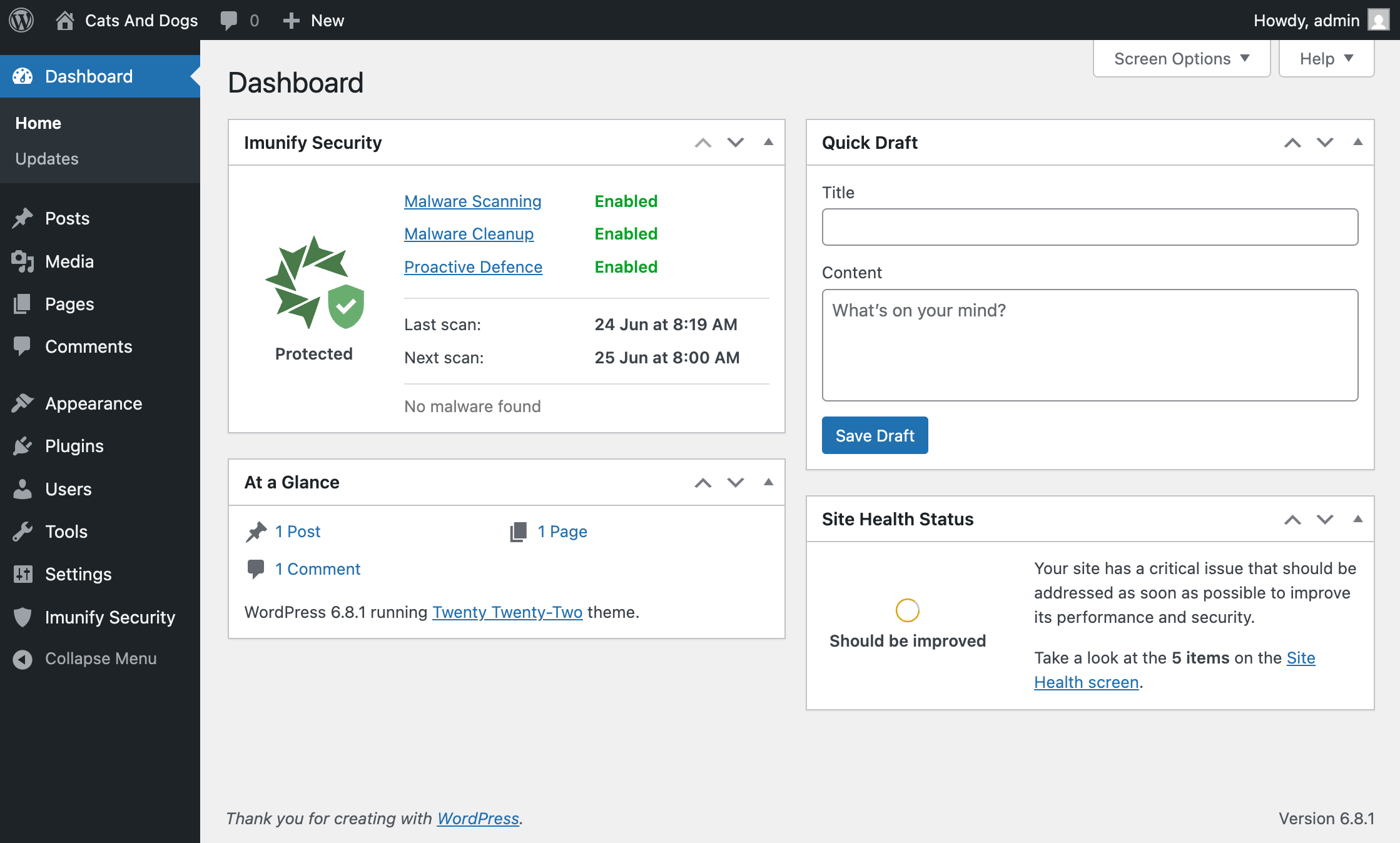
You do not need to buy, download, or configure anything. The plugin works together with Imunify360 already runs on the server.
What it protects you from
- Malware. Infected files, injected code, and backdoors.
- Zero-day attacks and dangerous code execution. Attacks that use undisclosed vulnerabilities, and backdoors that are already on the site, run PHP code that no scanner has a signature for yet.
- Exploits of known vulnerabilities in the plugins, themes, and WordPress core you use — including the time between a vulnerability becoming public and you installing the update.
- Aggressive crawlers, scrapers, and AI bots that slow your site down, use up its resources, and copy its content. AI Bot Management limits them while leaving real visitors untouched. See AI Bot Management.
Common Questions & Answers
Why did the Imunify Security plugin appear on my site? I did not install it
We installed it for you. The Imunify security software on the server adds the plugin to the WordPress sites it protects, so you get the security information of your site inside the WordPress dashboard. It is part of your hosting plan, not something you bought or downloaded.
Why is the plugin not in the WordPress.org plugin directory?
The plugin only works together with Imunify360 running on the hosting server, so it is delivered by Imunify instead of your website public directory. This is also why it is updated automatically, without an update notice in WordPress.
Do I have to pay extra for the plugin?
No. It's completely free and included with your hosting account's security features. No purchase required and no premium upgrade prompts in your dashboard.
Does the plugin slow down my website?
The plugin is built to keep the work inside WordPress very small, most of security functions like Malware scanning runs on the server, not inside WordPress.
Do I still need my other security plugin?
Imunify360 does not replace a general-purpose security plugin, and it does not require you to remove one. That said, we've found that extra security plugins, particularly free/trail ones, provide little additional protection while using extra resources.
For more information, please check Imunify Security Plugin for WordPress Site Owner Guide.