What is two-factor authentication?
Two-factor authentication adds a second check when you log in to your 2MHost account. After your password, you also enter a one-time code that we e-mail to you. Someone who learns your password still can't get into your account without that code.
At 2MHost:
The code is sent to your account's login e-mail address. You don't need an app or a phone number. Each code has 6 digits, works only once, and expires after 10 minutes. 2FA is optional and is turned off by default. You choose whether to turn it on.
This article covers 2FA for 2MHost admin area. Please check how to enable 2FA for cPanel and webmail.
Turn on 2FA
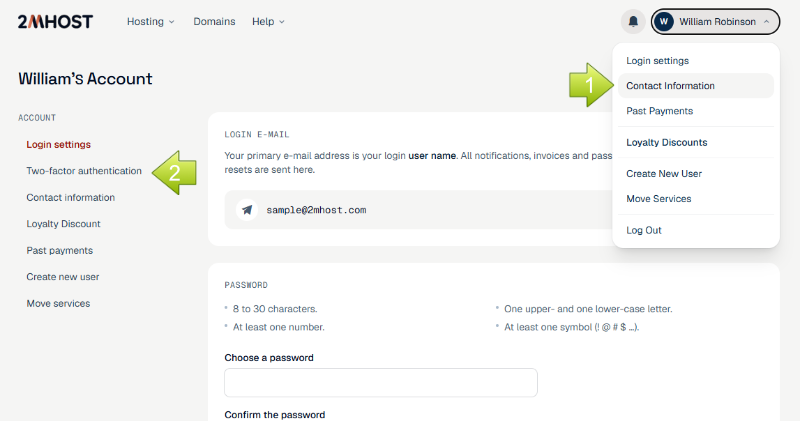
Log in, click your name at the top right, then choose Login settings.
In the account menu, choose Two-factor authentication. On a phone, tap 2FA.
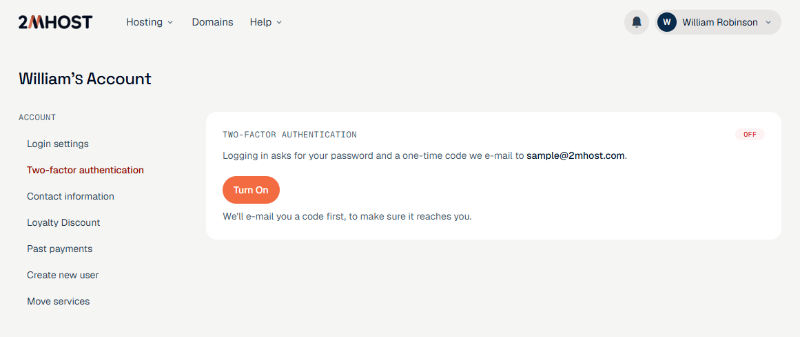
Click Turn on. We e-mail you a code to check that our messages reach you.
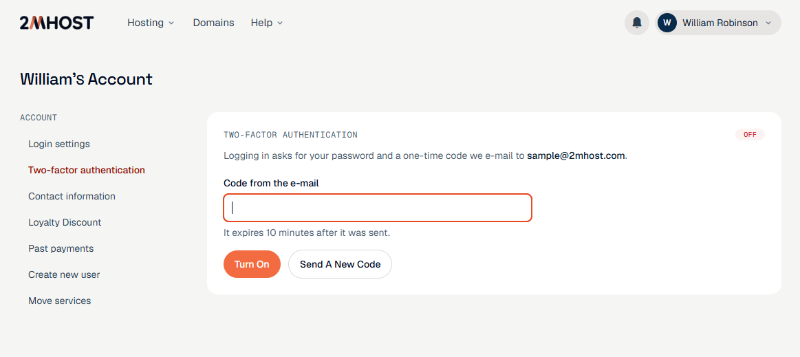
Open the e-mail "Confirm two-factor authentication for 2MHost", type the code into Code from the e-mail, and click Turn on.
You'll see "Two-factor authentication is on." and an On label.
No e-mail? Check your spam or junk folder, or click Send a new code. You can ask for a new code once a minute.
Logging in with 2FA
Enter your e-mail and password as usual.
We send you an e-mail, "Your 2MHost login code". Type the code into Login code and click Log in.
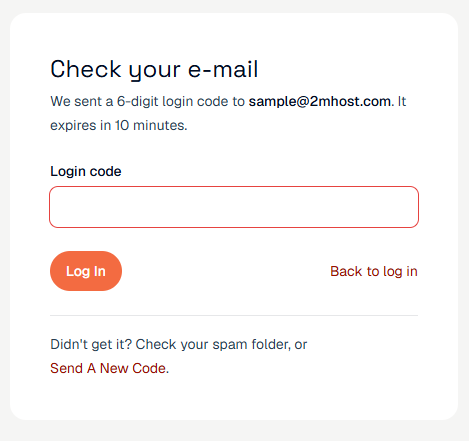
If the code doesn't arrive, check your spam folder or click send a new code at the bottom of the page.
A code stops working after 10 minutes or after 5 wrong tries. If that happens, log in again to get a new one.
If you tick Remember me, that browser won't ask for a code again until you log out. Use it only on your own devices.
Turn off 2FA
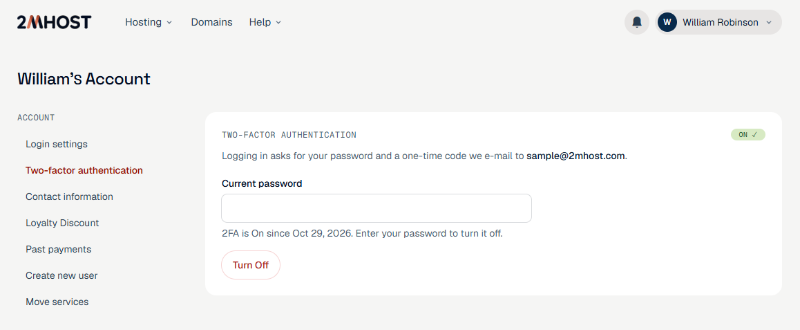
Go to Two-factor authentication, the same way as when you turned it on.
Enter your Current password and click Turn off.
You'll see "Two-factor authentication is off." From now on you log in with just your password.
Can't receive your codes?
Codes always go to your login e-mail, so keep it up to date under Contact information. If you change it, codes go to the new address, and we send a notice to the old address.